Creating a cozy and functional home office is essential for anyone working remotely or managing tasks from home. A well-designed workspace can improve focus, boost creativity, and make your workday more enjoyable. Whether you have a dedicated room or just a small corner, these tips will help you create an inviting and efficient office space.
Choose the Right Location
Find a Quiet Spot
Select an area in your home that is quiet and free from distractions. This could be a spare bedroom, a nook in your living room, or even a section of your bedroom. The key is to minimize noise and interruptions, helping you concentrate better.
Consider Natural Light
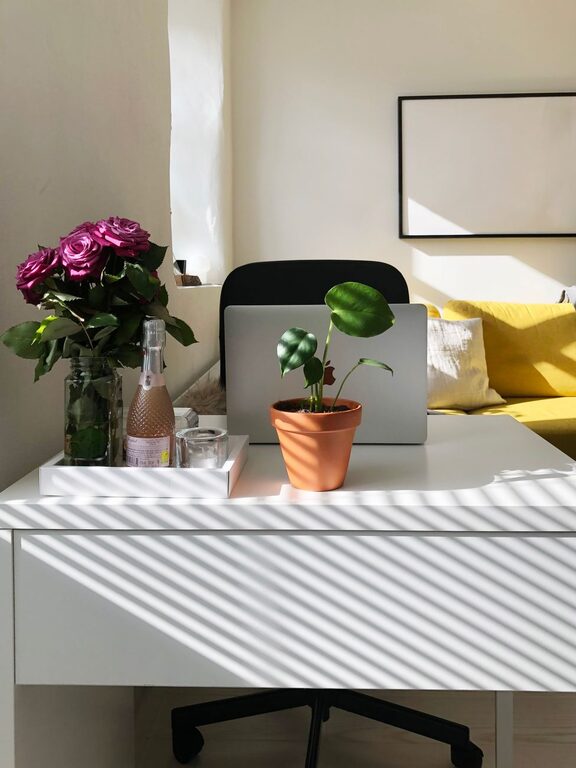
A workspace with plenty of natural light helps reduce eye strain and improves mood. Position your desk near a window if possible. If natural light is limited, invest in good-quality lighting that mimics daylight.
Invest in Comfortable Furniture
Ergonomic Chair
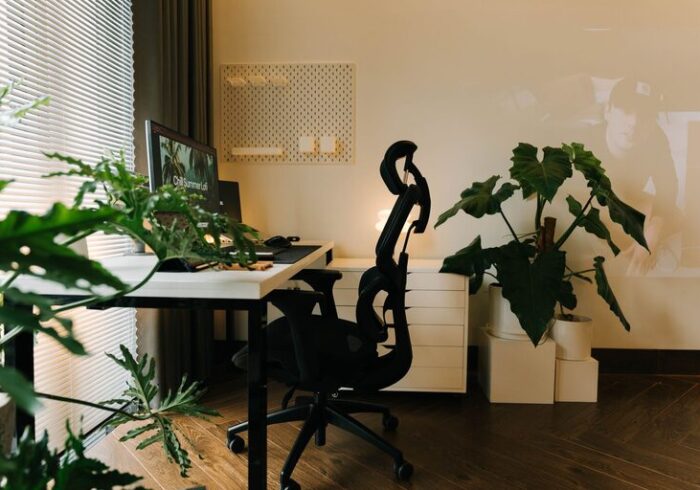
Comfortable seating is crucial. An ergonomic chair that supports your back and encourages good posture can prevent discomfort during long hours of work.
Functional Desk
Choose a desk that fits your space and meets your needs. If you use a desktop computer, ensure there’s enough surface area for your monitor, keyboard, and other tools. For laptop users, a compact desk or adjustable table might work well.
Organize Your Space Efficiently
Declutter Regularly
Keep your workspace tidy by removing unnecessary items. Clutter can distract and make it harder to find what you need.
Use Storage Solutions
Incorporate shelves, drawers, or filing cabinets to keep paperwork and supplies organized. Baskets, boxes, or drawer dividers can also help maintain order.
Cable Management
Manage cords and wires with clips or sleeves to keep your desk looking neat and prevent tangling.
Personalize Your Workspace
Add Plants
Indoor plants improve air quality and add a lively touch to your office. Choose low-maintenance varieties like succulents or pothos.
Decorate Thoughtfully
Incorporate artwork, photos, or inspirational quotes that motivate you without overwhelming the space.
Use Calming Colors
Soft tones like blues, greens, or neutrals can create a peaceful environment, fostering relaxation and focus.
Create Zones for Different Tasks
Separate Work Areas
If space allows, designate specific zones for computer work, reading, or brainstorming. This separation helps your brain switch gears and stay organized.
Use a Whiteboard or Corkboard
Keep to-do lists, calendars, or idea boards visible to stay on top of tasks.
Prioritize Lighting
Layered Lighting
Combine ambient lighting, task lighting, and accent lights to create a balanced workspace. A desk lamp with adjustable brightness is especially useful.
Avoid Glare
Position screens and lights to reduce glare. Use blinds or curtains to control sunlight if needed.
Incorporate Technology Wisely
Reliable Internet and Equipment
Ensure a stable internet connection and up-to-date hardware to avoid disruptions.
Noise-Canceling Headphones
If your environment is noisy, headphones can help you focus on work or virtual meetings.
Maintain Work-Life Balance
Set Boundaries
Establish clear start and end times for work to prevent burnout.
Take Breaks
Incorporate short breaks for stretching or a quick walk to stay refreshed.
Final Thoughts
Designing a cozy and functional home office doesn’t require a big budget or a large space. By carefully selecting your location, investing in comfortable furniture, organizing effectively, and personalizing your area, you can create a workspace that supports your productivity and well-being. Remember to adapt your setup to fit your unique needs and preferences, making your work-from-home experience more enjoyable every day.